

AI crawlers aren’t regular visitors. They’re software agents built to read pages, pull data, and even buy things on their own. Humans browse for fun or research, but bots scan full pages, extract structured details, feed AI models, and answer questions directly. This isn’t old-school indexing of snippets. It’s a new kind of digital consumer that skips pageviews and ad clicks.
Old revenue models feel the hit. When AI bots copy full content without paying, publishers lose CPM ad revenue and affiliate commissions. Several major news sites already block these bots because value leaves and no money comes back.
Here’s the flip side. AI agents create direct value by training models or giving instant answers. Site owners can charge per request, per token, per document, or per product. No need to lean only on indirect ad income. New monetization paths show up and don’t interfere with human readers.
Next comes the practical part. Site owners can set clear policies, pricing rules, and technical gates, then plug in tools on WordPress and WooCommerce. AI crawlers pay in the background. Real people keep reading without friction.
Set clear policies for AI crawlers, permissions, and logging
Set policies for AI crawlers first. Control who gets in and how they interact with the site. Bots don’t all act the same. Some try to train large models, some fetch data, and a few place orders.
Group them by intent. Training crawlers often get blocked or need licenses because they extract value without paying. Retrieval bots might be metered or billed per request since they pull data but don’t transact. Commerce agents usually get access if they follow purchase rules.
Verify identities before granting access. Imposters pose as trusted bots. User-agent strings aren’t enough. Add reverse DNS checks or token-based headers to confirm who’s knocking. This cuts down on spoofing and free rides.
Monitor behavior closely. Log hits, bytes served, paths accessed, and response codes to see patterns and spot abuse fast. Rotate logs daily. Keep 90 days of history for audits and trend analysis.
When blocking a crawler, return HTTP 403 and a JSON body with licensing details. Offer a path to compliance, not just a wall. For paid access, return HTTP 402 Payment Required with clear instructions.
Lean on infrastructure. Edge tools like Cloudflare or a WAF can enforce rules by ASN or user-agent before traffic reaches origin. In WordPress, add gates on templates or routes meant for AI requests so content doesn’t leak before payment checks.
- Require user-agent identification plus verification like reverse DNS checks or token headers to authenticate AI crawlers reliably.
- Log detailed metrics including number of hits, bytes transferred, accessed paths, and HTTP response codes for every crawler interaction.
- Rotate logs daily and maintain records for at least 90 days to support monitoring and analysis efforts.
- Respond with HTTP 403 Forbidden plus JSON details about licensing when denying access; use HTTP 402 Payment Required responses with payment guidance where applicable.
- Deploy controls at CDN/edge level using ASN/user-agent filters alongside WordPress-level gates on specific routes/templates tailored for AI crawler traffic.
Review and filter AI crawler traffic to size the opportunity
Start by spotting the small tells that separate bots from people. A bot might skip images or scripts, hit pages at a steady pace with no pause to read, or show unusual TLS fingerprints like odd JA3 hashes not seen in common browsers. These signals support a simple classifier that labels traffic with confidence.
Next, sort crawlers by intent through their URL paths. Requests to /api/, /feed/, or /wp-json/ usually point to data collection. Full-article HTML pulls suggest training crawlers scraping complete pages. This view makes it easier to see who’s just fetching structures versus who’s harvesting full content.
Turn that into dollars. Compare historical RPM for each article against the volume of AI crawler hits. The gap shows ad or affiliate revenue that slips away. That estimate helps set fair pricing when charging bots for access.
Some pages carry more weight. Long guides, detailed price lists, product specs, and comparison charts influence large language model answers significantly. Tag these URLs as high-value, then apply tighter rules or premium prices.
Weekly exports keep everyone aligned. Report top AI agents by bytes, most-hit URLs, and unauthorized scrape attempts. Feed those snapshots into allowlists, denylists, and rate limits so rules stay current and tough to game.
Key filtering steps:
- Label traffic with signals like JA3/TLS fingerprints and headless browser hints to distinguish humans from bots reliably.
- Group AI crawlers by intent based on path patterns such as /api/, /feed/, /wp-json/, or full-page pulls.
- Quantify lost revenue per article using historical RPM compared against crawler traffic volumes.
- Identify high-value assets (guides, price lists) for targeted controls or tiered pricing.
- Export weekly summaries highlighting top agents and suspicious activities to refine access rules continuously.
Monetize content with paid AI access using x402 and WordPress
Charging AI crawlers for content access helps recover value lost to unpaid scraping. Pricing mirrors what a human visit would be worth. Sites often charge a small fee per article, around one to twenty-five cents, or price by data pulled, like per kilobyte or token. Some offer subscription keys for trusted bots that need frequent access.
The x402 payment protocol automates the flow. When an AI crawler requests content without paying, the server replies with HTTP 402 Payment Required. Machines understand it. The response includes what to pay, which currency or network to use, where to send funds, and which content unlocks after payment. The bot completes the transaction in the background.
WordPress ties in cleanly by intercepting AI user-agents early in page load through template_redirect hooks. If no valid payment exists, WordPress returns a 402 challenge with x402 details. After PayLayer confirms payment through callbacks or webhooks, it issues a signed token with a short expiration, scoped to the specific URLs the crawler requested.
Humans get normal pages. Only identified AI agents see payment prompts before accessing premium data.
- Humans never face paywalls; only verified AI crawlers receive 402 challenges, ensuring zero disruption.
- After payment, short-lived tokens restrict access tightly to the purchased URLs.
- PayLayer works as middleware that detects bots, runs x402 payments inside WordPress, and tracks status.
- Delivery swaps between free HTML for people and gated JSON or embeddings for paying crawlers.
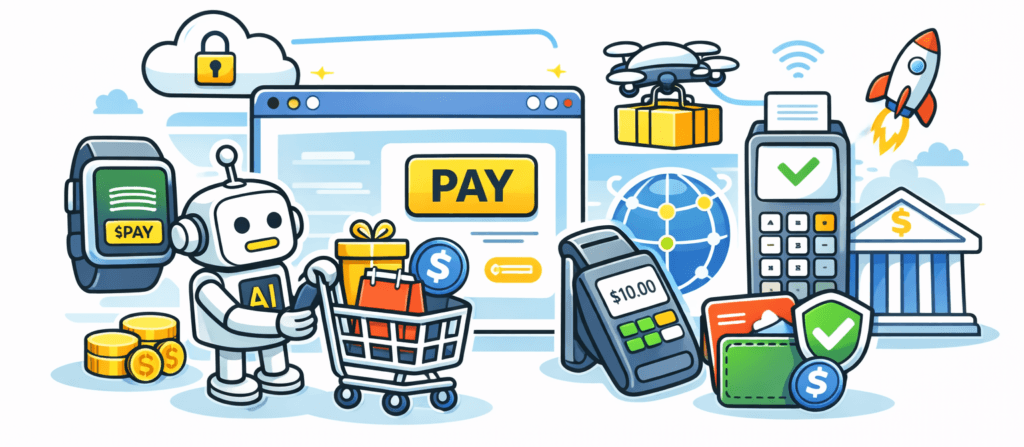
Enable WooCommerce purchases by AI agents on behalf of users
WooCommerce can make it easier for AI agents to shop for users by offering a clean, machine-readable buying flow. Instead of pushing bots through human-focused pages, a read-only product catalog endpoint lists prices, stock levels, shipping rules, and purchase terms in a clear format. The endpoint requires agent authentication so only verified bots get in. This reduces scraping and blocks unauthorized data pulls.
When an AI agent wants to buy, it sends a POST request with the SKU and quantity to add items to a cart. If payment isn’t done yet, the server replies with an HTTP 402 challenge and asks the bot to pay first. After payment, WooCommerce creates the order in the background, returns a receipt, and fires fulfillment webhooks so downstream systems know what sold.
Digital goods fit this well. Licenses, PDF bundles, datasets, and API credits ship instantly through signed URLs or license tokens. Bots can pass those back to end users securely. No manual steps.
Fraud controls matter. Rate limits per agent prevent abuse. Billing tokens tied to verified organizations add accountability. For sensitive items like gift cards or high-end electronics, allowlists restrict who’s allowed to purchase.
Tracking which AI assistant drove each sale helps keep reporting clean. An agent_ref parameter in transactions lets merchants attribute revenue by agent identity and SKU in analytics dashboards. It shows where revenue comes from and which products drive it.
- Machine-friendly product catalogs expose authenticated endpoints with price and availability for bots.
- Order flow uses POST requests and HTTP 402 challenges to require payment before WooCommerce finalizes orders.
- Digital products deliver through signed URLs or license tokens for automated distribution by AI agents.
- Fraud controls include per-agent rate limits, verified-organization billing tokens, and allowlists for high-risk items.
- Attribution parameters log sales origins by specific AI assistants and purchased SKUs for clear revenue insights.
Choose the right mix of AI monetization models for your site
Monetizing AI crawler traffic works best as a mix of clear rules, accurate tracking, paid access, and simple checkout paths. Machine-readable licenses set the ground rules for training, redistribution, and reuse. Tiered access lets publishers keep headlines and short snippets open, charge for full text, and offer premium structured data like embeddings or update feeds. Predictable, metered API endpoints replace messy scraping and provide clean usage statistics. Transparent governance ties it together with a public AI access policy linked from robots.txt, detailing allowed agents, how they identify, payment routes, and who to contact for enterprise deals.
Start with a small pilot. Choose a few high-value pages or products, test pricing, and watch revenue per thousand bot requests. Review results every month, adjust, then widen access when paying agents reach roughly 10 – 20% of total AI traffic. Clear documentation for terms and fees helps bots comply without guesswork.
- License archives or feeds with explicit use rights via machine-readable terms.json files
- Use tiers: free headlines/snippets, paid full text, premium JSON/embeddings with SLAs
- Offer API endpoints priced by rate to cut scraping and gain usage insights
- Publish an accessible AI crawler policy naming allowed agents, ID methods, payments, and contacts
- Pilot on select URLs/products, track revenue per 1K requests, adjust monthly
- Expand as the share of paid agents rises beyond 10 – 20%
Each step compounds progress toward reliable revenue from AI crawlers while keeping the human reading experience intact.

Leave a Reply to Gayle Cancel reply