

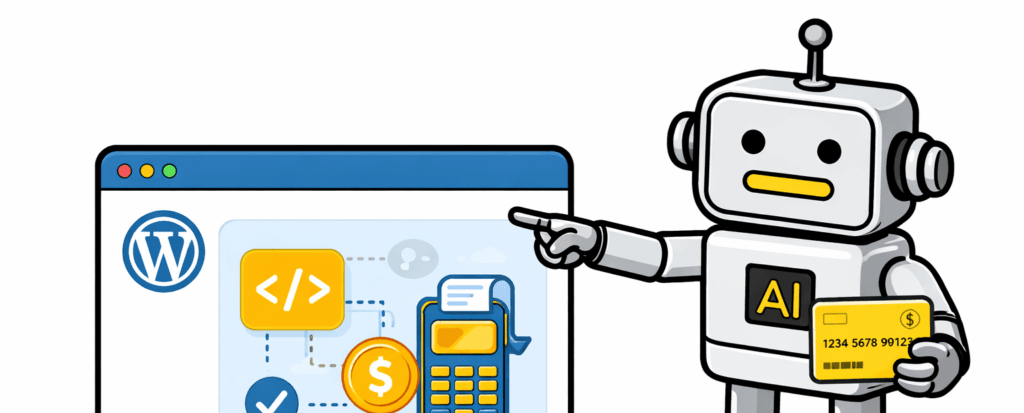
I’ve been watching a quiet shift on WordPress sites. AI agents aren’t just crawling pages – they’re buying, reading, and interacting like real visitors. They pay for articles or products without any manual work on your end. That creates new revenue streams and clearer data on automated traffic. It also reduces scrapers that chew up bandwidth without paying.
Human visitors don’t get a complicated new experience. Everything feels normal. No pop-ups, no extra steps. Payments from AI bots run in the background through programmatic rules baked into the site’s code. Think of it like an invisible cashier that only clocks in when needed.
PayLayer makes this practical as a WordPress plugin built for AI-driven payments. It keeps your theme and checkout flow intact. It runs alongside your current setup and adds a safe way to accept bot-origin payments. Online commerce isn’t only about people anymore. Machines are part of the audience, and preparing for that shift pays off when the setup stays simple.
How PayLayer works with x402 for AI‑only payments
PayLayer uses the x402 protocol to send prices and terms to AI visitors through HTTP headers or special endpoints. No pop-ups or paywalls on the page. Bots that support x402 get the cost and rules, then pay and fetch content without slowing down human readers.
Spotting bots works like a quiet check-in. PayLayer reviews user-agent strings and request patterns that look scripted. When it flags an automated client, it returns x402 payment instructions instead of the normal page. Say a client hits an article over and over yet doesn’t behave like a browser. PayLayer switches to an automated checkout flow and leaves regular visitors alone.
The plugin runs in two modes: price content per post or page, and AI agents buy what they need one item at a time, or connect WooCommerce products so approved agents purchase SKUs through the API under rules you set. Think of it as a shopkeeper with strict house policies for machines.
Privacy stays tight. Human PII doesn’t flow into bot payments, since those requests skip collection entirely. Each payment ties to a specific resource, and server checks confirm only paid content goes out. The site stays secure while serving a new type of buyer.
How to install the free PayLayer WordPress plugin and verify x402
Getting PayLayer running on a WordPress site takes a minute. Go to wp-admin, open Plugins > Add New, search for “PayLayer,” click Install Now, then Activate. No theme edits or template tweaks. It works out of the box.
After activation, check a few basics. Set permalinks to standard or pretty formats so URLs stay clean. If AI agents need to buy WooCommerce products, turn on the WooCommerce REST API. Make sure HTTPS is on, since secure callbacks rely on it.
I like to verify setup with curl from the command line. Use a bot-style user-agent and hit a protected page. If the response headers show x402-related fields, like price info or payment-required signals, PayLayer is working behind the scenes.
Performance stays solid for real visitors. PayLayer only runs on flagged automated requests. TTFB before and after activation should look almost the same during normal browsing.
How to enable safe AI product purchases with WooCommerce
Flip one switch in PayLayer’s settings and AI product purchases turn on for WooCommerce. After that, choose specific products or entire categories AI agents can buy. The whole store stays protected, and only what you approve is open to machines. Set order caps to stay in control, like how many items an agent can buy at once and how often they’re allowed to check out.
SKU mapping does the heavy lifting. Each product gets a stable ID that doesn’t change, even if the catalog does. Bots receive that ID with price and stock in a clean, machine-readable format. They see what’s available and what it costs before paying.
When an x402 payment clears, the system creates an order with an “Agent” customer tag. Machine orders stay separate from human ones, which makes reports and reviews easier. Physical goods might need a quick manual check before fulfillment. Digital downloads usually go out right away.
Fraud controls matter. Limit purchases to trusted IP ranges, require signed payment receipts so each transaction proves it’s legit, and set rate limits, like five orders per hour per agent key. These safeguards work together:
- Limit by logged IP ranges
- Require signed payment receipts
- Enforce strict rate limits (e.g., max 5 orders/hour)
Stores stay open to automated buyers while abuse stays out.
How to charge AI agents for content without changing human UX
Charging AI agents for content access in WordPress gets very precise. Prices go down to the penny – two cents per article or a bit more for premium posts. Metered pricing fits too, like giving away the first 200 words free before bots pay. Fine-grained control tailors charges to how much content an AI actually consumes.
The system works quietly in the background and only targets requests flagged as automated. Homepages stay open, policy pages remain public, and logged-in humans pass through without hiccups. SEO stays healthy because search engines see what they expect with no paywalls in the way, and real readers don’t notice a change.
Once payment clears, delivery starts right away. Depending on setup, PayLayer serves the full HTML page or a clean JSON excerpt built for model trainers who want structured data instead of raw web code. Each response includes a short reuse license field so model trainers know exactly what they’re allowed to do with the content. It keeps usage clear and fair.
Observability sits at the core of PayLayer’s logs. Every transaction records which agent made the request, what URL was accessed, the price, whether payment succeeded, and how many bytes were sent. Logs export as CSV files, so it’s easy to slice and analyze revenue data in other tools.
Is PayLayer right for your site and what to do next
PayLayer can help a WordPress site earn from AI-driven visitors without getting in the way of people. It sits quietly, processes machine payments, and leaves the normal experience alone. Before moving forward, it’s worth checking if this fits the setup and goals.
Quick ways to tell if PayLayer makes sense:
- You publish evergreen articles or sell digital files that machines would pay to access.
- Server logs show bot traffic that looks interested, not just scraping.
- You’d rather post clear, machine-readable payment terms than block automated access.
A simple pilot plan works well:
- Put a small price on 2 – 3 top pages, around one to five cents, to test agent interest.
- Enable one digital WooCommerce SKU for AI agents so purchases route through the system.
- Watch logs and revenue for a week, look for patterns, and adjust settings.
Start with low prices. Bots and their operators test more when costs stay tiny. Spell out reuse terms in plain language so paid access comes with clear rules. Human visitors won’t see changes. They keep browsing as usual while machines pay in the background.
False positives happen with automated detection. Monitor results and loosen rules if real users get flagged. Keep it fair for people and consistent for agents.
Want more depth? The docs and setup guides live at PayLayer.org/docs. If something feels off or a feature would help, open an issue from the plugin page’s tracker. The community is responsive and helpful.
Leave a Reply