
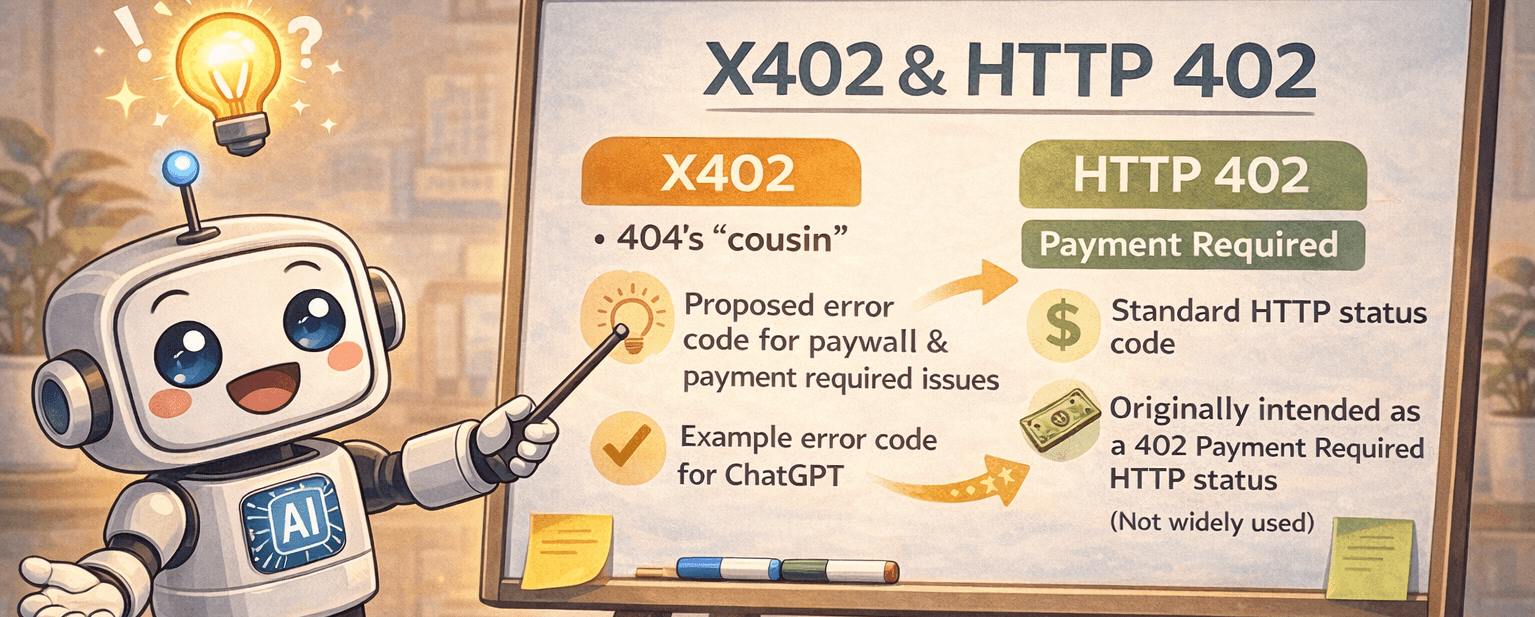
HTTP 402 (Payment Required) isn’t new, but it’s getting real attention in 2026 for a different reason. It tells a site visitor there’s a cost to reach the resource. Not a permission issue. A payment issue. It’s direct: “Pay first.”
Here’s the interesting part. Site owners can apply 402 to bots like AI crawlers or data scrapers while leaving human visitors alone. People keep reading pages. Automated systems get a bill before they pull large chunks of data. Picture a news site that stays open for readers, while an AI tool needs to pay to fetch the full archive.
This approach works through x402, a machine-friendly way to handle payments in the background. No splashy paywall, no pop-ups, just a quiet handshake where bots settle the cost and move on. It keeps traffic smooth for people and sets clear rules for automated access.
Getting started isn’t hard. WordPress sites plug into ready-made tools. Custom stacks wire x402 into existing auth and billing flows. Teams set rates per request or per dataset, log usage, and enforce quotas with standard HTTP responses.
Expect more sites to price automated access this way. It rewards real readers and sets fair terms for high-volume scraping. It’s simple, predictable, and fits how the web already works.
Set up PayLayer in WordPress for AI‑only payments with x402
Installing the PayLayer plugin on WordPress takes just a minute. Download it from the WordPress repository or upload the .zip to the site. Activate it, open Settings, then Payments, and connect a PayLayer.org account with an API key. This link handles payment setup in the background.
Payment rules live in the editor. Toggle Require AI payment on single posts, whole categories, or custom post types. Logged-in users and normal browsers get in for free by default, so regular reading isn’t interrupted.
Pricing stays flexible. Set a per-request fee, for example $0.005. Choose how to meter: per page view, per kilobyte transferred, or per image served. If bots don’t pay upfront, pick what happens next. Show partial content or return 402 to stop access until payment clears.
When an AI bot visits, PayLayer returns 402 with x402 headers that list the price, currency, and payment target. Human visitors receive standard 200 OK pages with no paywall in the way.
After payment finishes offsite, bots retry the request with an x402 proof header to confirm funds. The plugin verifies this on the server, then serves the full page with 200 OK. The flow runs on its own and keeps things fair for automated clients while humans browse for free.
How x402 payment headers unlock access after HTTP 402
When a client asks for a resource behind x402, the server answers with HTTP 402 and a few clear headers. X-Price shows the exact amount for that request. X-Currency gives the currency code, like USD. X-PayEndpoint points to the payment URL for a simple POST with amount, resource details, and client ID. X-Receipt-Format tells the client what kind of receipt token to return after payment.
Clients use those headers to pay at the endpoint. The payment system returns a signed receipt token, often a JWS, as proof of payment.
To fetch the resource again, the client sends the same request and includes X-Receipt with the signed token. Optional X-Client can add extra ID info. The server checks the receipt signature and confirms freshness with a nonce or expiry timestamp.
Tight controls matter here. Servers bind each receipt to a specific URL and keep tokens short-lived, usually one to five minutes, to stop replay across different paths or time windows.
If the receipt looks wrong or expired, the server returns 402 again with a header that explains the denial reason. Underpayment gets the same response pattern with the remaining amount listed. A valid receipt leads to 200 OK and the full response body.
Here’s the flow in order:
- Client requests the protected resource, and server returns 402 with X-Price, X-Currency, X-PayEndpoint, and X-Receipt-Format.
- Client pays at X-PayEndpoint and sends the required fields.
- Payment system returns a signed receipt token.
- Client retries the request with X-Receipt: and, if needed, X-Client.
- Server verifies the receipt, scope to the URL, and freshness.
6a. Valid receipt: 200 OK with the content.
6b. Invalid or expired: 402 with a reason header.
6c. Underpaid: 402 with the remaining balance.
This setup automates bot payments and leaves human browsing uninterrupted, while making sure large data pulls get paid for first.
Build a custom HTTP 402 flow for APIs and paid data
A custom HTTP 402 setup lets a server charge bots or API clients before giving access. A request hits /api/data, and the server returns 402 with x402 headers for price, a payment URL, and a nonce. After payment, the client retries with a signed receipt token. The server checks the proof, then returns 200 OK with the data if it all matches.
To implement this in practice:
- Intercept unauthenticated bot or API calls early in the stack.
- Set cost by route and request size, per call or per MB.
- Attach a unique nonce to each request to block replay.
- Sign receipts with asymmetric crypto using a private key.
- On retries, verify receipt signatures with public keys.
- Bind nonces to method and path so tokens don’t work elsewhere.
- Use HTTPS everywhere so tokens stay private in transit.
- Log each step: 402 responses, payment attempts, and verification results for audits.
- Rotate signing keys on a schedule.
- Export metrics like acceptance rate, revenue by endpoint, and average time from payment to delivery for monitoring and business insight.
Security hinges on asymmetric signatures. Only the server issues valid tokens, and anyone verifying relies on public keys without risking a secret. Strict nonce checks stop old receipts from working on other endpoints or at later times. Each token maps to one request at one moment.
Good observability shortens feedback loops. Track how often 402s go out to see demand. Log payments to learn which APIs earn. Measure settlement time to find bottlenecks that slow delivery.
Next steps to launch HTTP 402 payments without blocking humans
HTTP 402 payments for website access offer a practical way to balance AI clients and human visitors. Instead of a full paywall for everyone, bots pay before fetching data, while real people browse as usual. The x402 protocol handles the payment handshake over plain HTTP, so automated systems settle up and continue.
For WordPress sites, PayLayer works like a quick add-on. Install it, set low starter rates with micro-prices, then watch how bot traffic shifts along with new revenue. Teams with APIs or custom stacks can wire up their own 402 middleware and add receipt checks to match their setup.
Start small. Pick one content type, like blog posts aimed at AI crawlers, and test pricing models such as per-request fees or per‑kilobyte charges. Track how many bots exit when costs appear and how many pay and proceed. Humans see no change. They keep a normal 200 OK experience.
Transparency helps. A short Automated Access Policy page explains terms and lists supported payment protocols. That builds trust around the rules.
Whether PayLayer’s quick setup fits or a custom API flow makes more sense, this is a good moment to test on a narrow slice. Choose the approach that matches your stack today, run limited trials, and gather insights without disrupting regular users.
Leave a Reply