

HTTP 402 isn’t a random error. It signals that payment is required, and it’s aimed at automated clients, not people. Software sees 402 and knows it needs to pay before it gets access. x402 builds on this. It’s an AI‑native payment protocol that lets programs make small purchases on their own, with no manual steps.
WordPress developers and product teams building agent‑facing endpoints – through REST APIs, WP_Query surfaces, media access points, or WooCommerce integrations – get new options here. These tools support metered or transactional access in the background, so regular visitors never notice, while machine clients handle payments quietly.
This article explains what HTTP 402 and x402 mean for AI payments on WordPress sites, then compares plugins that support these protocols. It focuses on features and practical use cases, not promotion. Builders creating smart payment flows where software does the work will find clear guidance here.
How HTTP 402 works as a machine-readable payment gate in WordPress
HTTP 402 tells automated clients they need to pay before anything else happens. When a WordPress server returns “HTTP/1.1 402 Payment Required,” it often adds headers or a short message with steps to finish payment, such as a Payment-Required: true flag plus links to checkout or pricing.
Don’t mix it up with nearby status codes:
- 401 asks for proof of identity (authentication).
- 403 denies access outright.
- 402 says access needs payment, even for authorized clients.
WordPress can return 402 in several places. template_redirect hooks may block views after a free quota runs out. REST API endpoints might return 402 when an AI agent requests premium data without paying. WooCommerce routes use it for metered items or content behind a paywall.
Caching needs tight control. Personalized payment details shouldn’t land in public caches or CDNs. Set Cache-Control: private so only the requesting client sees its pricing or payment prompts.
Search engines don’t handle 402 well. Many sites serve normal HTML to crawlers like Googlebot and reserve machine-readable 402 responses for AI agents built to process payments.
What x402 is and how programmatic payments flow end to end
x402 acts like a payment handshake between AI clients and WordPress servers. It turns paywalls into clear, automatic steps machines can follow, not vague blocks or pop-ups. Instead of a blunt “pay now,” the server sends precise, machine-readable instructions: amount, currency, where to pay, and the token or URL to unlock content after payment.
Picture an AI agent asking for premium content on a WordPress site. The server replies with an HTTP 402 status and x402 metadata in JSON. It lists the service, price, currency or asset (USD or crypto), expiration time, and the exact payment endpoint. The client uses those details and completes the transaction through a chosen method: credit card gateways or blockchain networks.
After payment, the agent tries again and includes proof of purchase. A receipt token goes in headers or query parameters. The server verifies that token with cryptographic signatures and nonce values. Each receipt stays unique and short-lived, which blocks replay attacks and double spending. If verification passes and clocks align across systems, the server returns HTTP 200 with the content.
x402 stays flexible across any HTTP/HTTPS transport. It isn’t locked to one payment rail. A WordPress setup can route through Stripe or PayPal, or use cryptocurrency channels. Developers wire up flows that fit their audience, while automated agents handle the transaction work quietly in the background.
1. PayLayer for WordPress enables paid AI crawling and WooCommerce agent purchases
PayLayer for WordPress acts like a checkout gate for bots. It lets site owners charge AI agents that crawl posts, pages, or API routes, and it lets those agents buy WooCommerce products for users without touching the normal human checkout. Bots work in the background, while people browse as usual.
- Integration Hooks: PayLayer ties into WordPress hooks such as template_redirect and the_content to block content after free quotas end. It wraps REST API endpoints so an agent hitting premium data gets a payment prompt. For WooCommerce, add-to-cart and checkout accept agent-initiated purchases without changing what humans see.
- X402 Metadata Emission: Every resource – post, 1,000 tokens of text, or an image – includes machine-readable price quotes in x402 metadata. After payment, PayLayer returns fulfillment links or short-lived access tokens that match the exact purchase.
- Human UX Separation: The plugin separates human visitors from automated clients by checking user-agent strings or Accept headers. People see normal pages with no interruptions, while agents receive HTTP 402 responses with x402 instructions to handle payments in the background.
- Operational Controls: Rate limits apply per agent key to prevent abuse and keep traffic fair. Free tiers let newcomers test before paying. A test mode issues zero-value receipts for development, and detailed logs track revenue and hit rates per endpoint.
- WooCommerce Agent Purchases: Agents add products to carts and complete checkouts programmatically through PayLayer’s hooks, while the frontend for people stays unchanged.
It plugs into WordPress internals while staying invisible to regular users, so access stays controlled and the experience stays smooth.
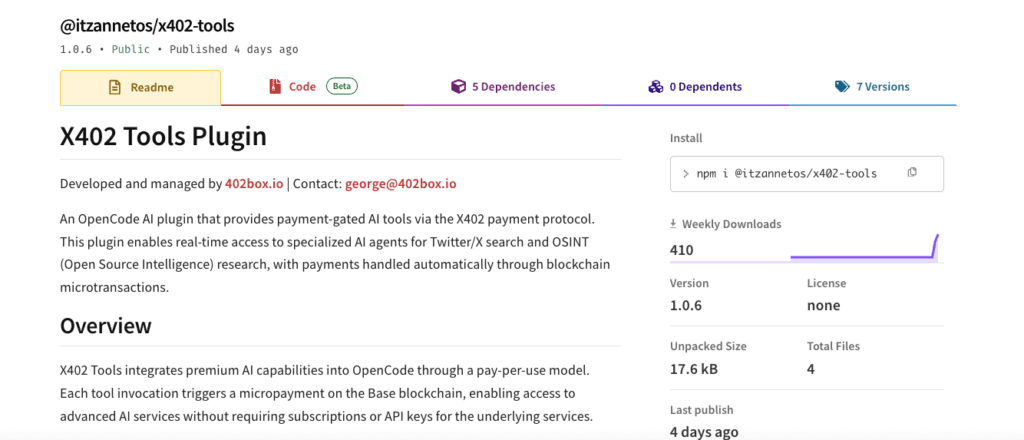
2. X402 Tools by 402box offers developer-focused x402 tooling for WordPress
X402 Tools by 402box targets developers who want to work directly with HTTP 402 and x402 payment flows in WordPress. It isn’t a plug-and-play install. It’s a set of low-level pieces that let coders build and test custom payment responses and workflows. More of a tinkering and prototyping kit than a production drop-in.
It exposes the parts behind automated payment prompts. Developers control pricing, receipt checks, and retry logic when agents try again after paying. No hidden settings or glossy screens. Everything’s out in the open so creators can shape each step as needed.
Key developer surfaces include:
- WP-CLI commands that simulate end-to-end 402 flows without touching live content.
- REST API routes that return example x402 payloads to show machine-readable payment instructions.
- Filters and actions to override pricing calculations or adjust receipt verification.
- A sandboxed testing harness where AI agents request quotes, get mock receipts, and validate retry behavior away from production data.
It also ships with utilities for header and content negotiation. Servers can send different responses based on who’s asking, bot or browser. Vary headers on User-Agent or Accept keep bots seeing clean 402 signals while people get normal HTML pages. Helpers handle custom content types cleanly inside this flow.
Security gets serious attention. The plugin includes nonce builders for per-transaction tokens and hooks for strong receipt signature checks. Example patterns show how rotating cryptographic keys and short expiry windows reduce replay risk, so each purchase stays one-time and time-bound.
In short, X402 Tools by 402box gives developers an experimental toolkit for mastering AI-driven payments with WordPress APIs.
How to choose between PayLayer and X402 Tools
WordPress sites that use HTTP 402 and x402 often need two different approaches. PayLayer focuses on production use with smooth AI payment flows for content metering, per-post pricing, and WooCommerce agent purchases. It ships with friendly interfaces and detailed logs. X402 Tools targets developers who want building blocks like filters, mock endpoints, and signature checks to shape custom payment behavior from the ground up.
- Content gating vs commerce: PayLayer handles paid access to posts or APIs and agent-driven WooCommerce checkouts. X402 Tools leaves pricing and fulfillment to developer choices.
- Team fit: Product teams that need quick rollout with reporting pick PayLayer. R&D groups exploring new AI-agent interactions prefer X402 Tools.
- Rollout path: Begin on staging by sending 402 responses only to known AI clients. Verify humans never hit paywalls, then expand across REST routes or media assets.
- Interoperability: Both work side by side. Use PayLayer for revenue-critical paths, and bring in X402 Tools for experiments or bespoke agent contracts.
Projects succeed when the tool matches the job. Test integrations on staging to avoid launch hiccups and keep human visitors moving without friction. Take a careful approach. Automated payments on WordPress are ready for real use.
Leave a Reply